Scheduling
Driver schedules built from your order history
Pick a location and a week. FIRST works out how many drivers each hour needs from your order history, builds the shifts to cover it, and posts the open ones for drivers to claim.
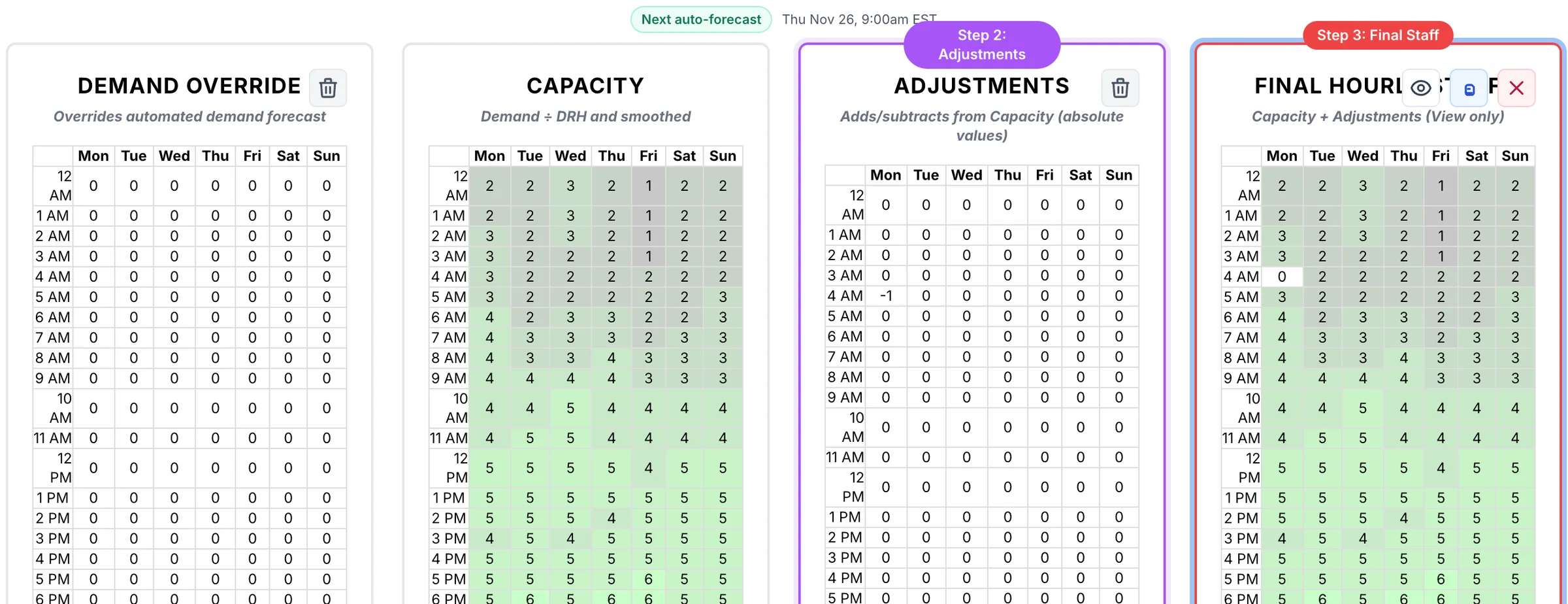
A forecast you can adjust, hour by hour
FIRST forecasts demand from your order history. Know about a big game or a holiday? Change any hour, and your edit carries through to the final driver count. You can also have the forecast run on its own, on a schedule.
- Demand Override
- Final Hourly Staff
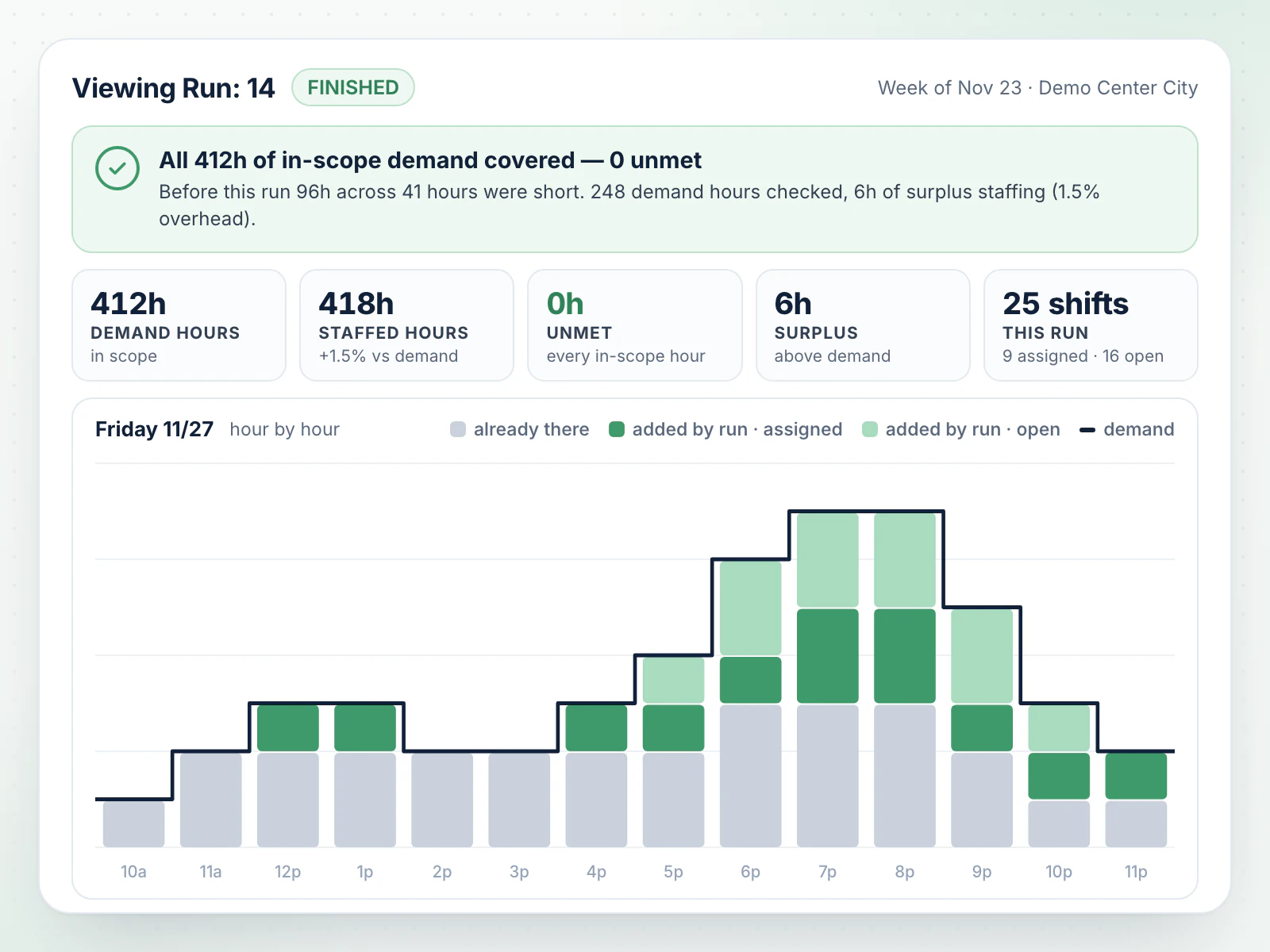
Add only the shifts you're missing
Set how long shifts can be and let FIRST build them. Shifts you've already scheduled count first, so it only adds what's missing. Then check the week hour by hour, with demand next to the shifts you had, the ones it added, and any hours still short.
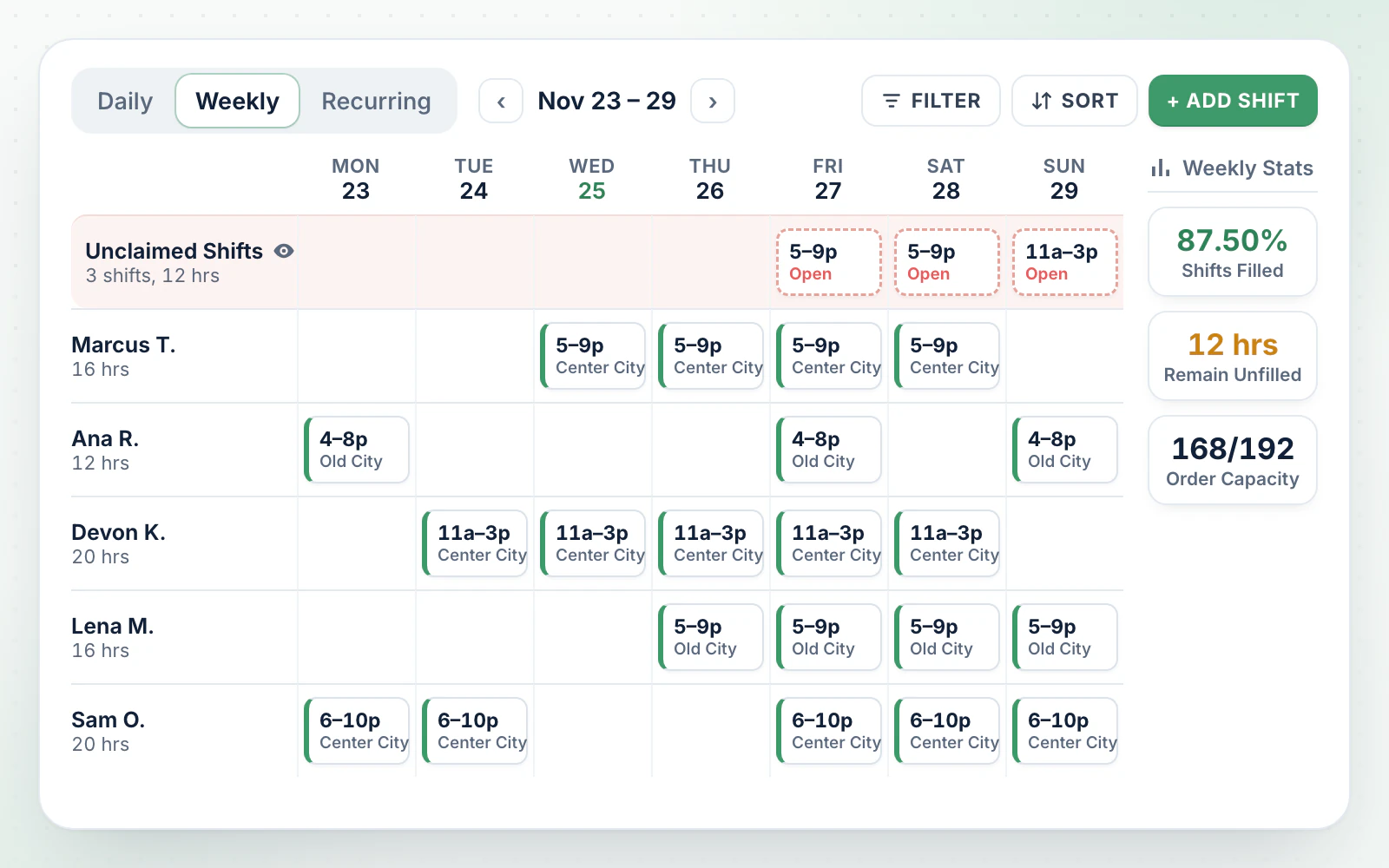
Open shifts drivers can claim
Shifts nobody's taken yet sit at the top of the weekly view, and drivers can claim them in the driver app. The weekly stats show how many shifts are filled and how many hours are still open. Drivers can't claim a shift that overlaps one they already have.
- Weekly
- Unclaimed Shifts
- Weekly Stats
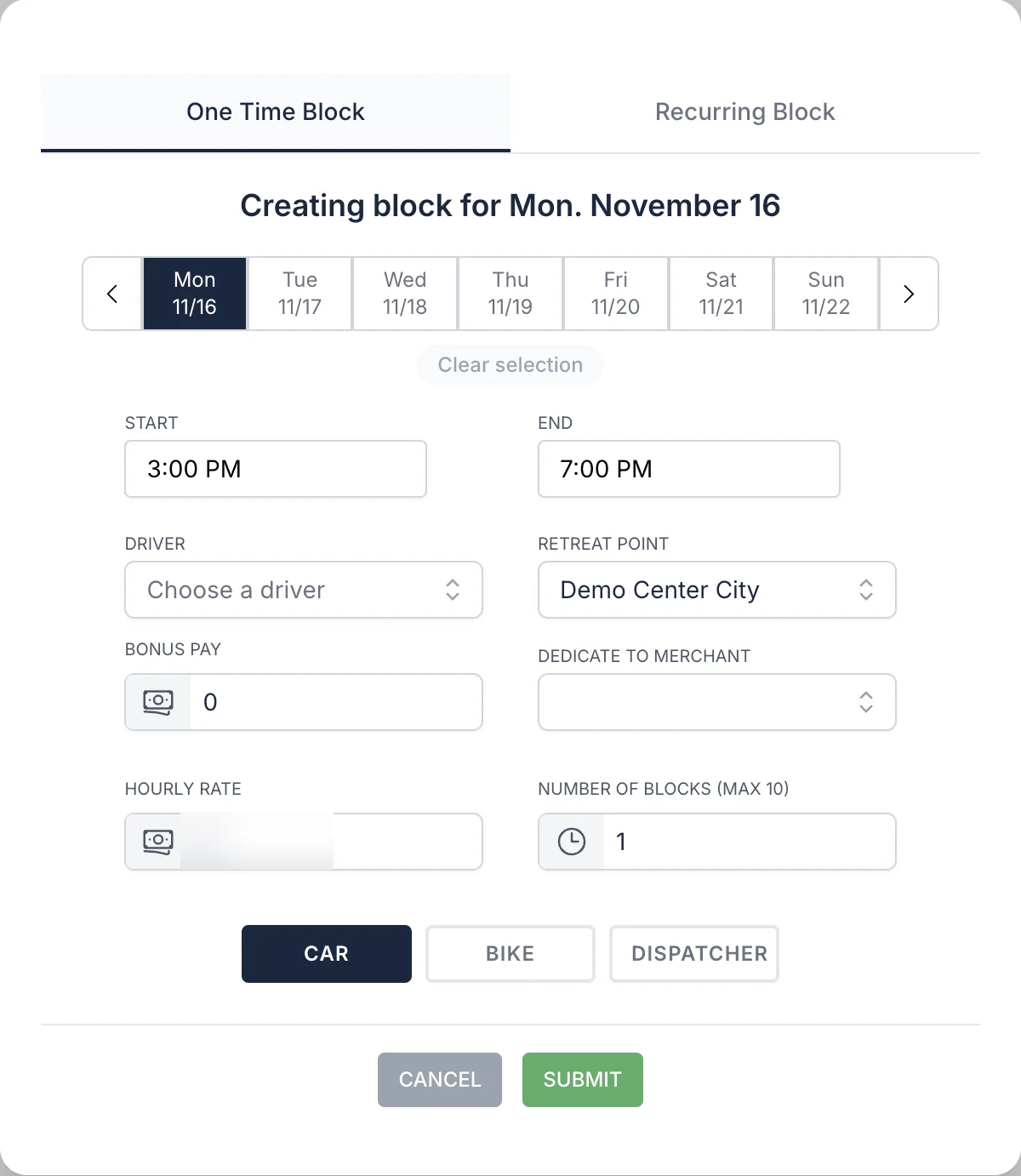
Add a one-off shift, or one that repeats
Need an extra driver on Friday night? Add a one-time shift, or set up a recurring one. Pick the hours and location, assign a driver or leave it open, set the hourly rate and any bonus, and make up to ten copies at once.
- ADD SHIFT
- One Time Block
- Recurring Block
Common questions
Frequently asked questions
Will new shifts duplicate the ones I already made?
No. FIRST counts your existing shifts hour by hour first, so it only adds shifts where you're still short.
When do drivers see new shifts?
FIRST only builds shifts inside your posting window, the number of days out that shifts get published. Open ones then show up in the driver app for drivers to claim.
Can the forecast update on its own?
Yes. Set an auto-forecast rule and it runs on a schedule. The forecast page shows when the next one is due.