Driver app
One clear next step for every driver
Drivers see their run as a short list of stops, each with one button for what's next. Your dispatchers see every step as it happens.
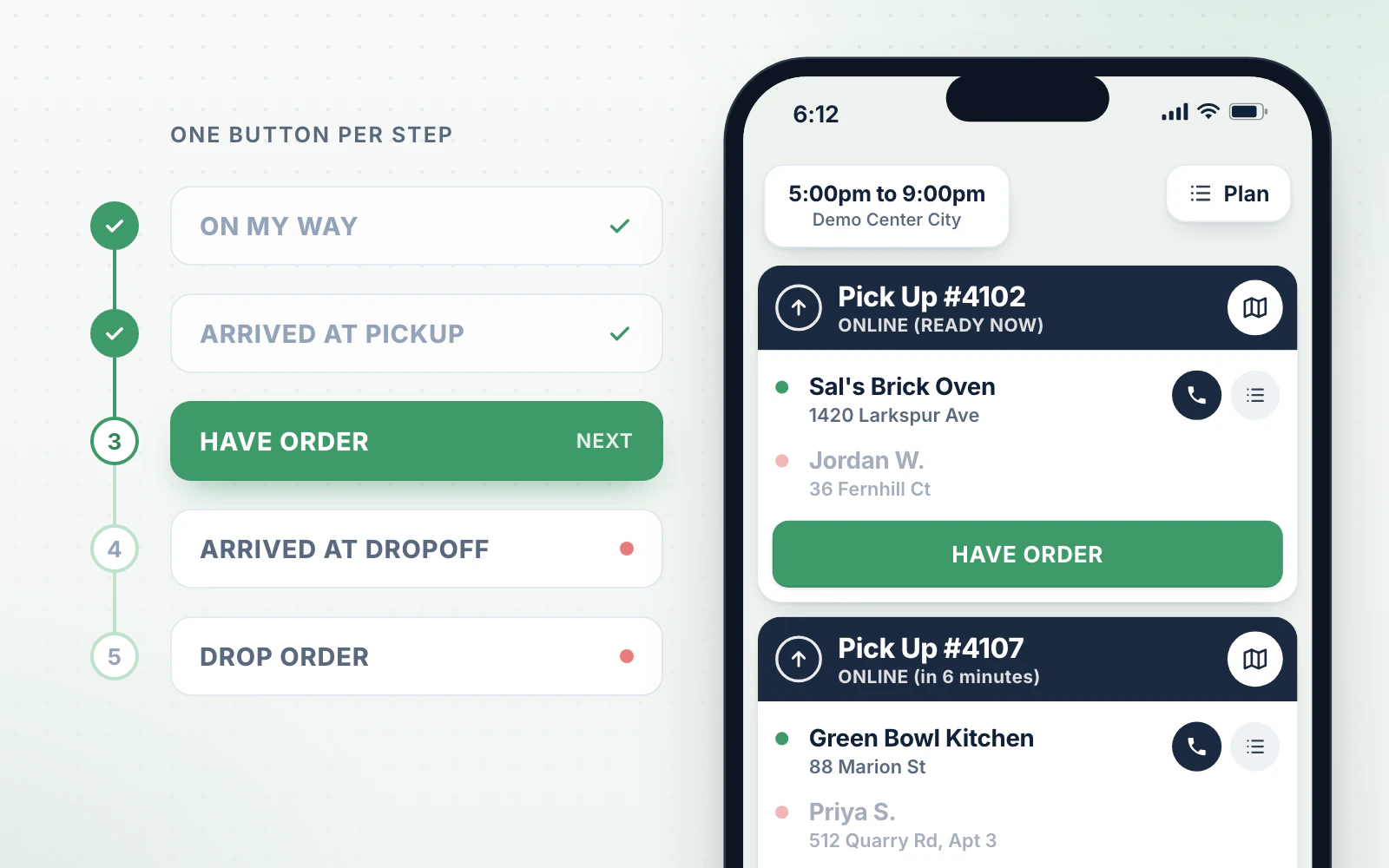
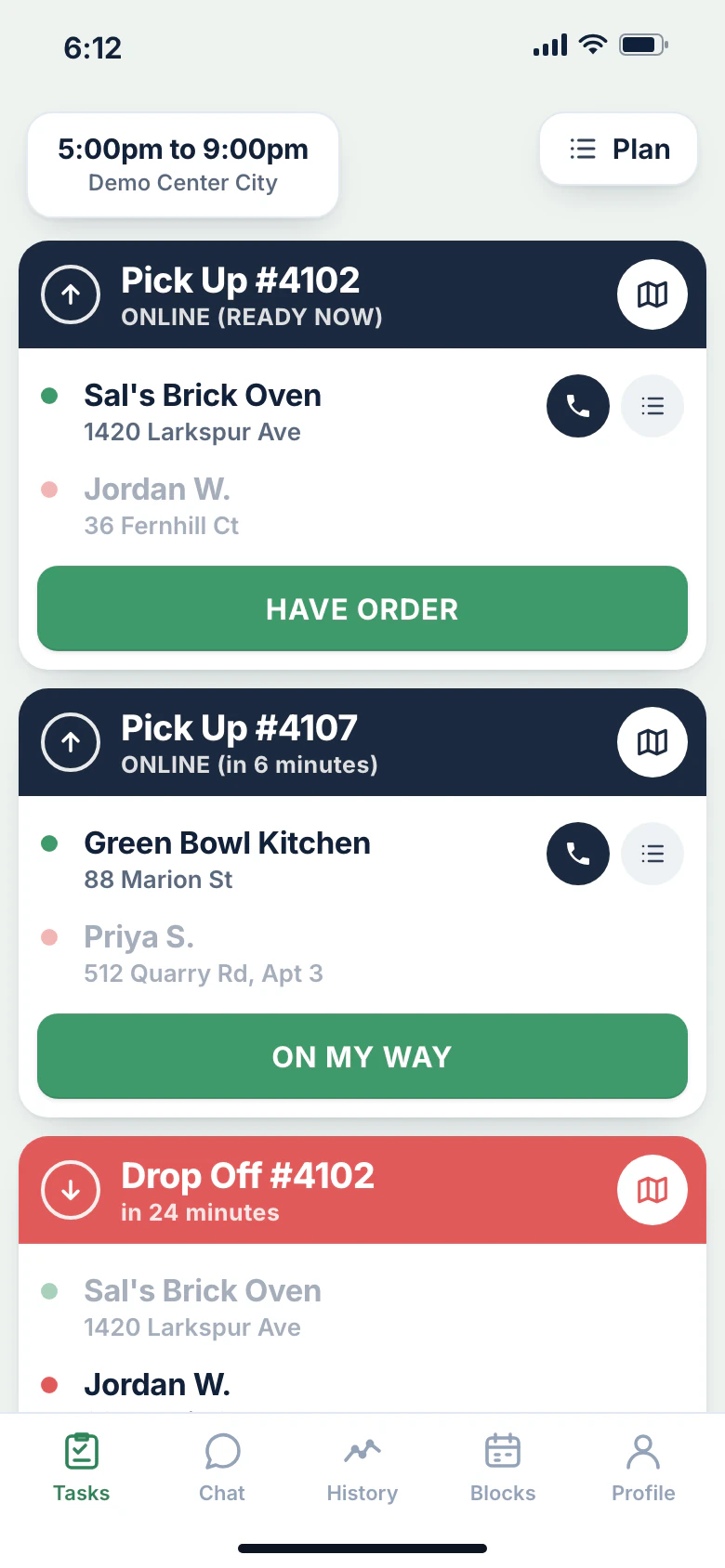
One button for whatever's next
Each pickup and dropoff is its own card, with a single button for the next step, from heading to the restaurant to handing off the order. Plan shows the whole run in order, and the map button opens Google Maps, Waze, or Apple Maps.
- Tasks
- ON MY WAY
- HAVE ORDER
- Plan
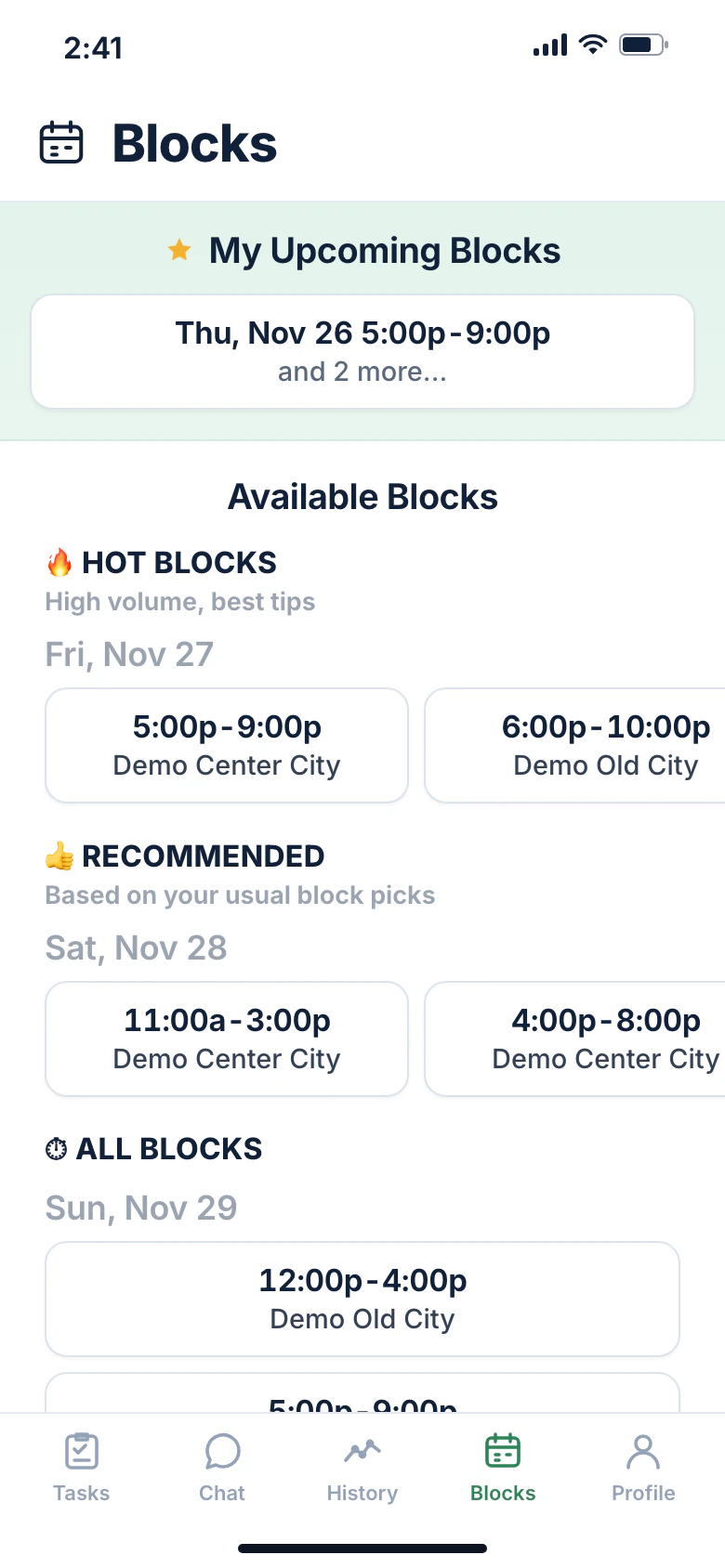
Drivers pick up open shifts themselves
Open shifts, which FIRST calls blocks, show up in the app for drivers to claim. Their own upcoming shifts sit at the top and open ones below. They tap the one they want, confirm, and check in when it starts.
- Blocks
- My Upcoming Blocks
- Available Blocks
- HOT BLOCKS
- RECOMMENDED
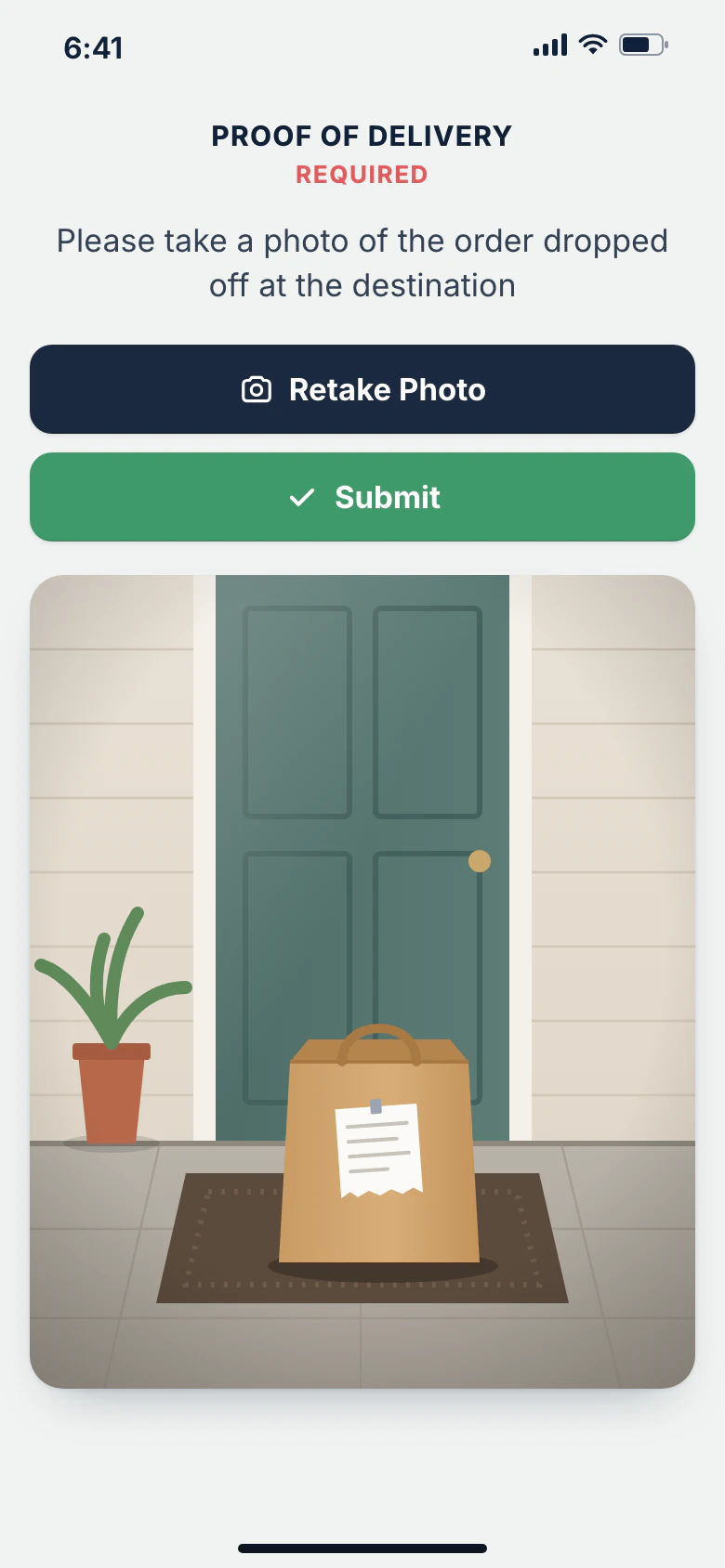
A photo at the door, when you want one
With proof of delivery on, the last step asks for a photo of the order at the door. The driver snaps it and submits, and it's saved with the order in Dispatch and shown to your customer on their tracking page.
- PROOF OF DELIVERY
- Submit
Show drivers only what they need
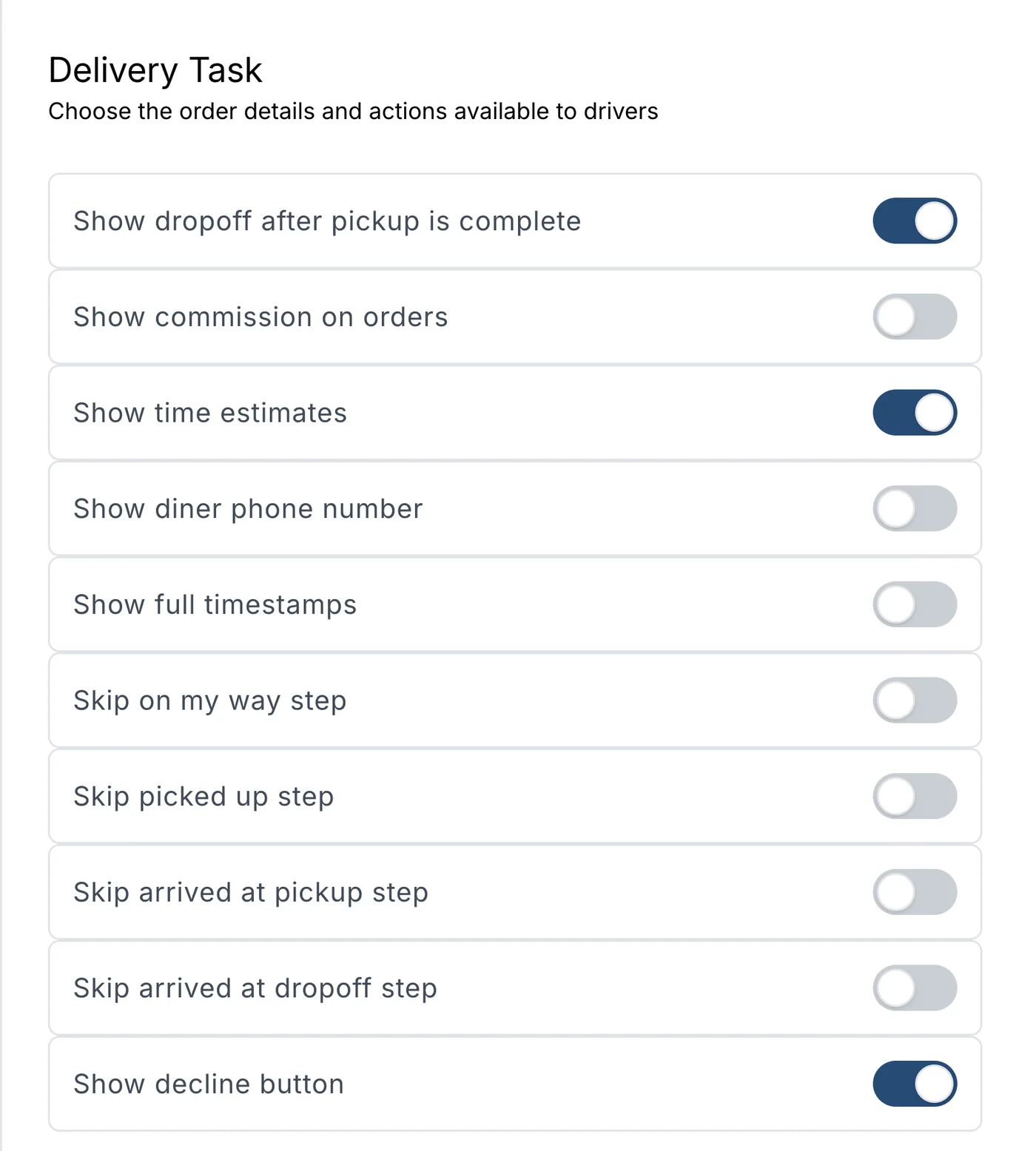
You decide what shows up in the app, territory by territory. Show drivers their commission on each order or keep it hidden, share the customer's phone number or not, add a decline button, and skip any steps your team doesn't use.
- Delivery Task
- Show commission on orders
- Show decline button
Common questions
Frequently asked questions
Which phones does it work on?
iPhone and Android. Drivers sign in with their phone number and a code we text them.
Can drivers grab orders on their own?
If you turn on self-assign for a territory, drivers can open Unclaimed Orders, see what's waiting, and take one, as long as they're on a shift or dispatch has marked them active.
How do drivers reach my dispatchers?
Through the Chat tab. Your dispatchers can message any driver from Dispatch too.