Dispatch
Every order and every driver on one board
New orders show up as they come in, every driver gets a lane, and the map shows where everyone is. Drag an order to a driver, or let FIRST suggest the match or make it for you.
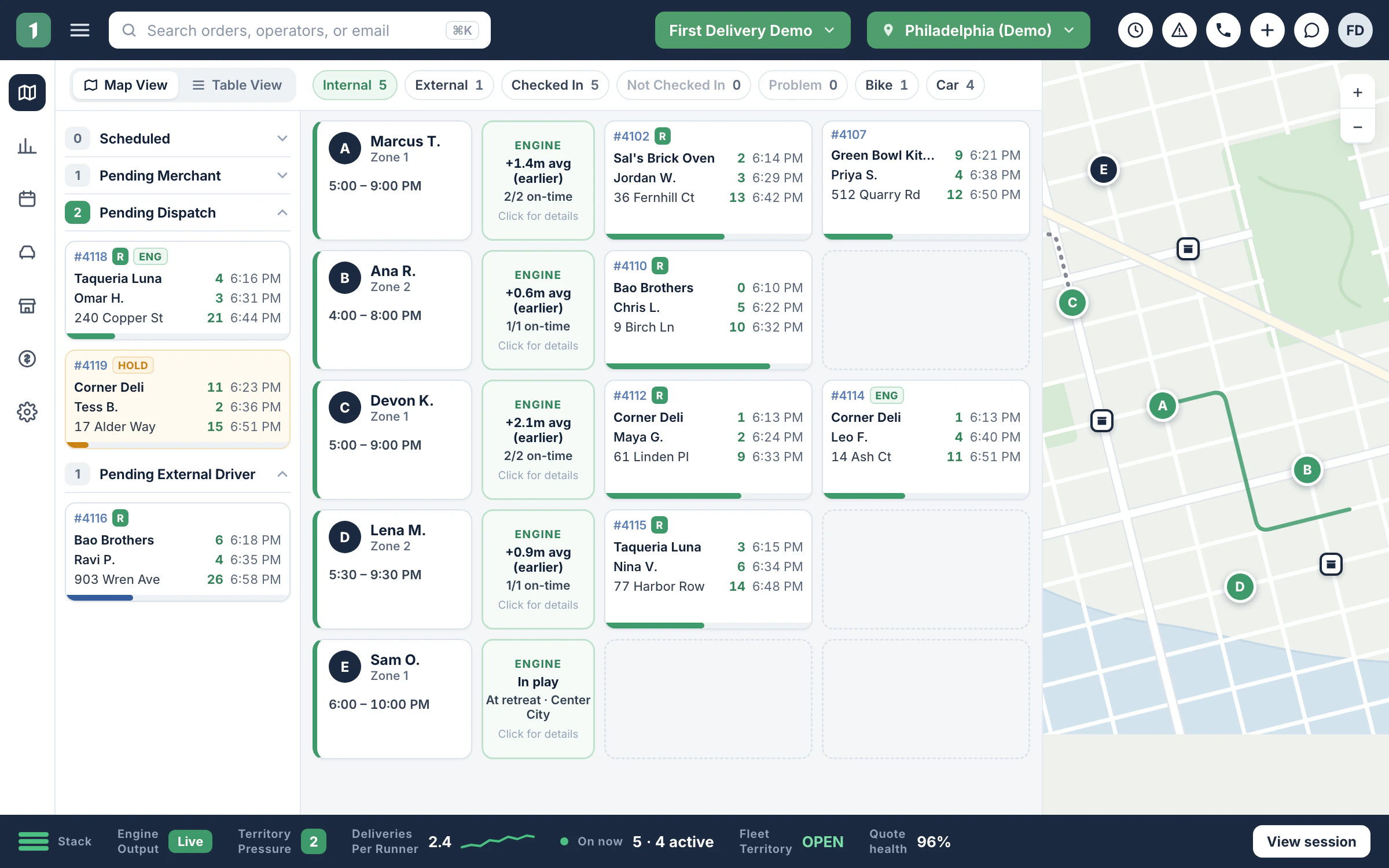
Assign an order with one drag
New orders wait in their own lane until someone takes them. Drag one onto a driver to assign it, or, if you use delivery partners, onto the partner lane to get quotes. Filter the board to see who's checked in, who's on your team and who's a partner, and who's in a car or on a bike.
- Map View
- Pending Dispatch
- Checked In

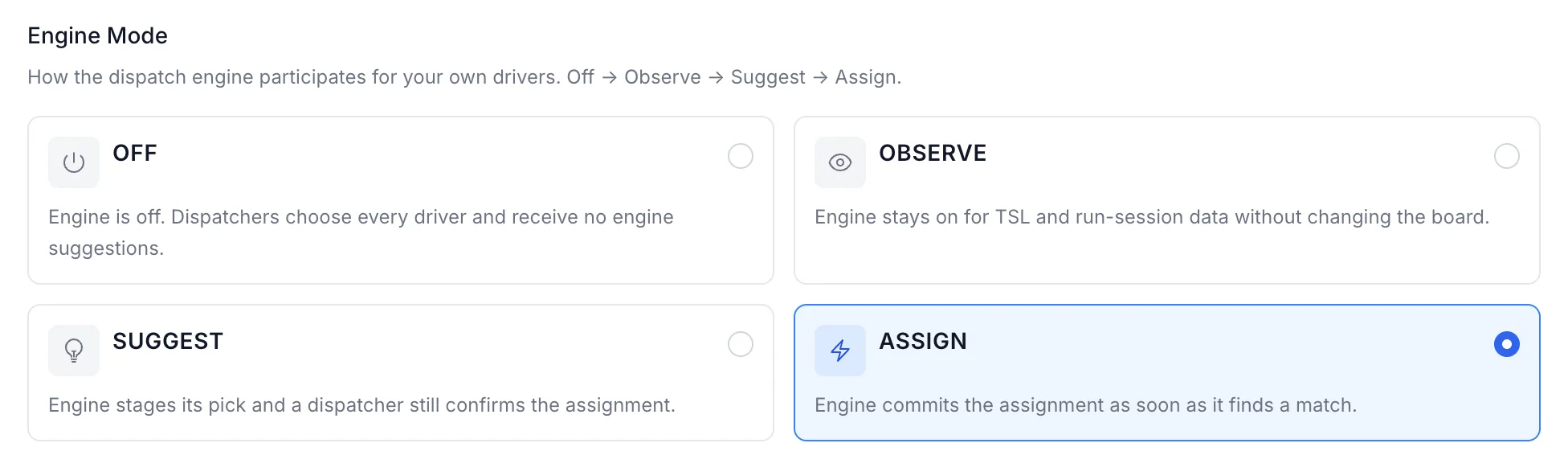
Decide how much FIRST does for you
Each territory picks its own level of help. Leave the engine off, let it watch quietly while your team dispatches, have it suggest a driver for a dispatcher to confirm, or let it assign orders on its own. We tune it with you for each territory, and every change starts as a draft you can preview and roll back.
- Off
- Observe
- Suggest
- Assign
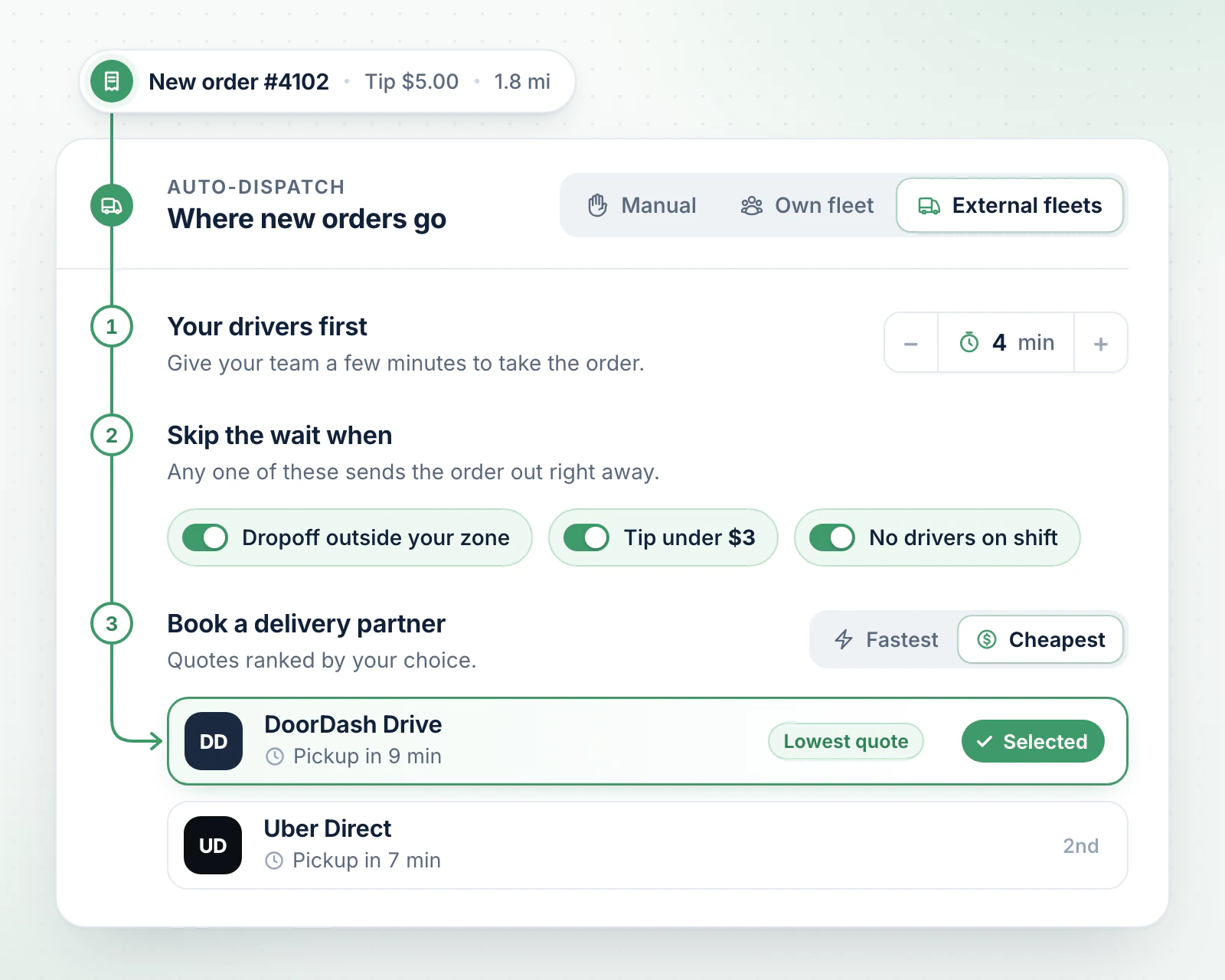
Your drivers first, then the right delivery partner
Keep new orders with your own drivers, send them to partners like DoorDash Drive and Uber Direct, or dispatch each one yourself. If you run hybrid delivery, FIRST can give your drivers the first few minutes, then pick the fastest or cheapest partner, whichever you prefer. When the dropoff is outside your zone, the tip is under the amount you set, or nobody's on shift, it skips the wait.
- Manual
- Own fleet
- External fleets
- Fastest
- Cheapest
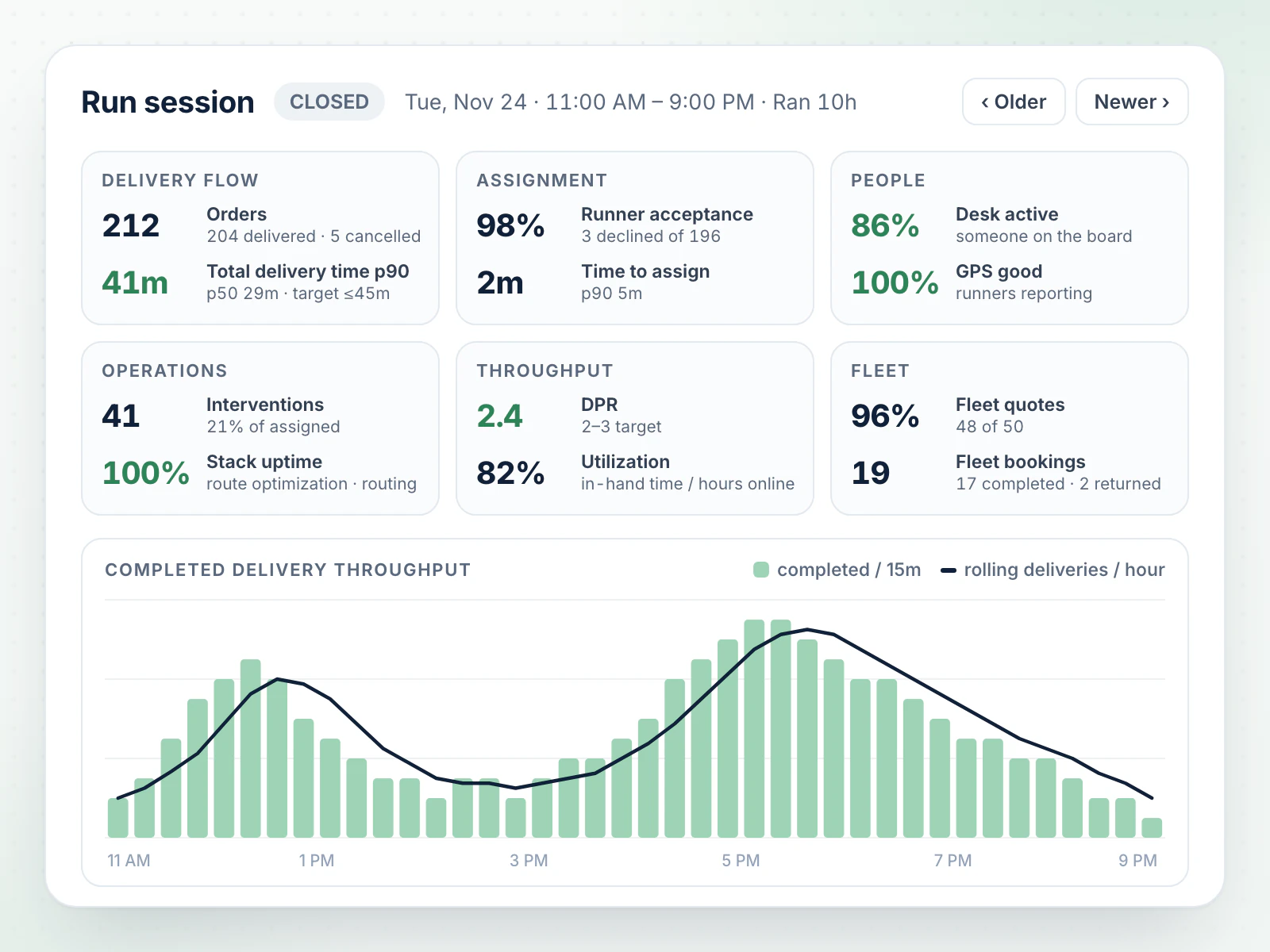
See how the day is going, and how it went
Every stretch of service gets its own run session. Click Session on the metrics bar for the day at a glance. You'll see orders and delivery times, your drivers and partner deliveries, how busy things are right now, and charts that follow the whole day.
- Run session
Common questions
Frequently asked questions
Do I have to let the engine assign orders?
No. You can dispatch every order by hand, let the engine watch in the background, have it suggest drivers for your team to confirm, or let it assign on its own. Each territory picks its own setting.
Can my dispatchers overrule it?
Yes. Pick a different driver than the engine suggested and FIRST asks for a quick confirmation, then records the change in that day's run session.
Who sets up the engine?
We do, with you. Changes are saved as a draft you can preview before they go live, and you can roll back to an earlier version.
What do the tags on an order card mean?
They're a quick read on each order. They show whether the restaurant has marked it ready, whether it's the engine's current pick, and whether the engine is holding it until the food is ready.