Driver pay
Pay, tips, and miles for every driver, every day
Drivers can earn per order and by the hour on their shifts, with bonuses and tips on top. FIRST adds it up for each driver, each day, and exports it with the miles they drove.
Pay per order, or by distance
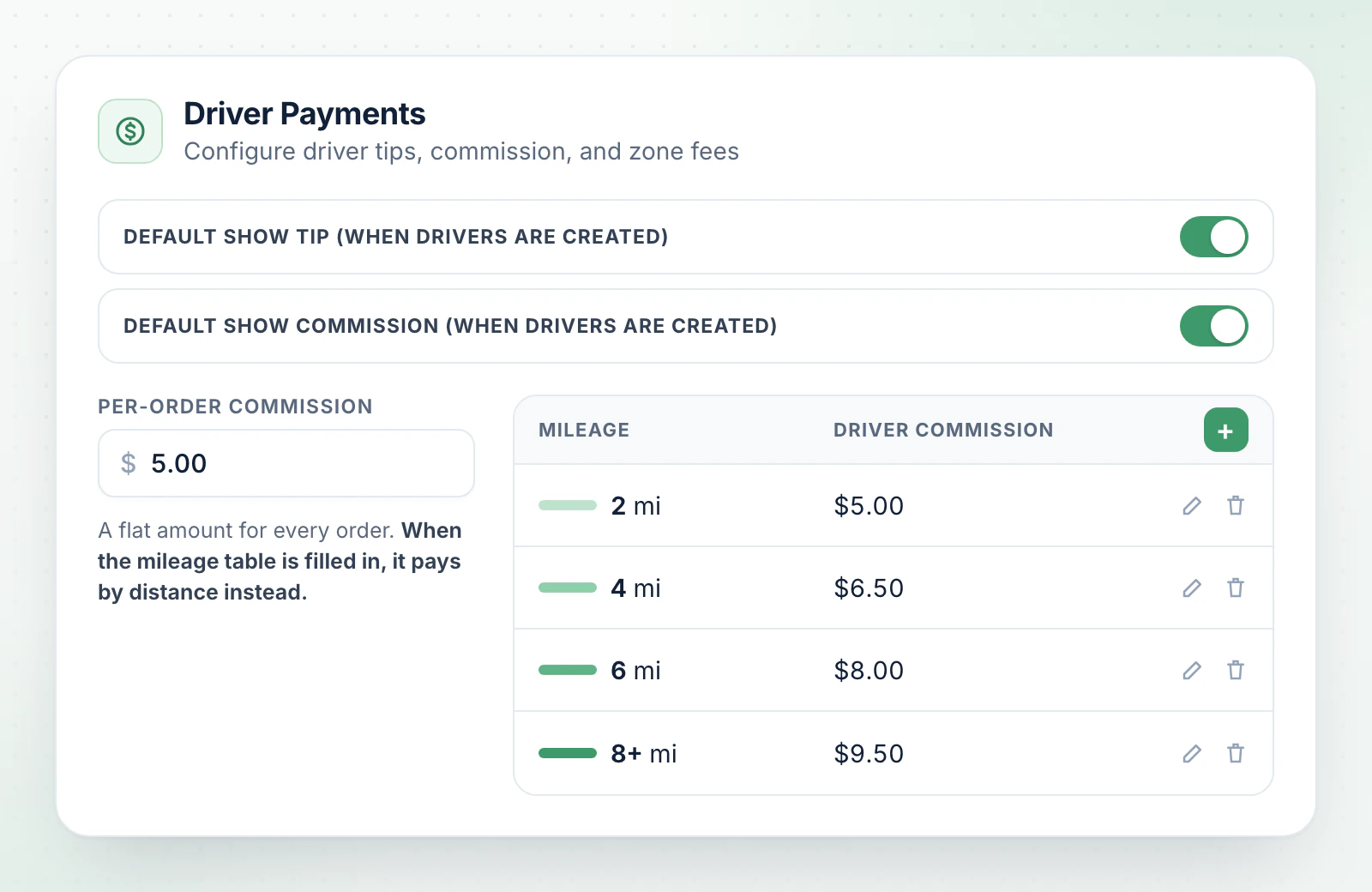
Set one commission for every order, or pay more for longer trips with a simple mileage table. You also decide whether new drivers see their tips and commission in the app.
- Driver Payments
- PER-ORDER COMMISSION
Hourly rates and bonuses on each shift
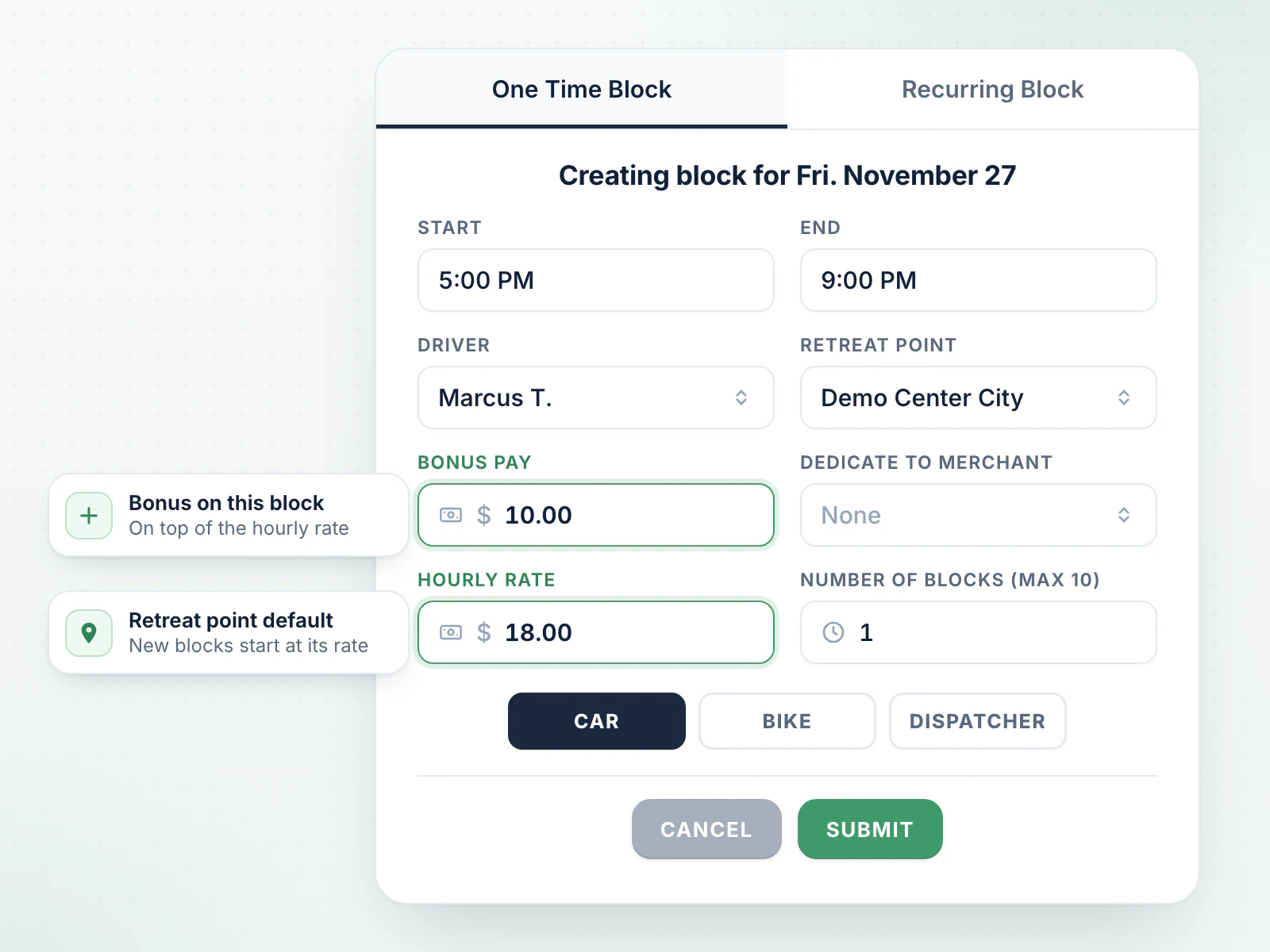
Every shift can carry its own hourly rate and bonus, so a busy Saturday can pay more than a quiet Tuesday. Set a default rate for a location, and new shifts there start with it.
- HOURLY RATE
- BONUS PAY
See the miles behind the pay
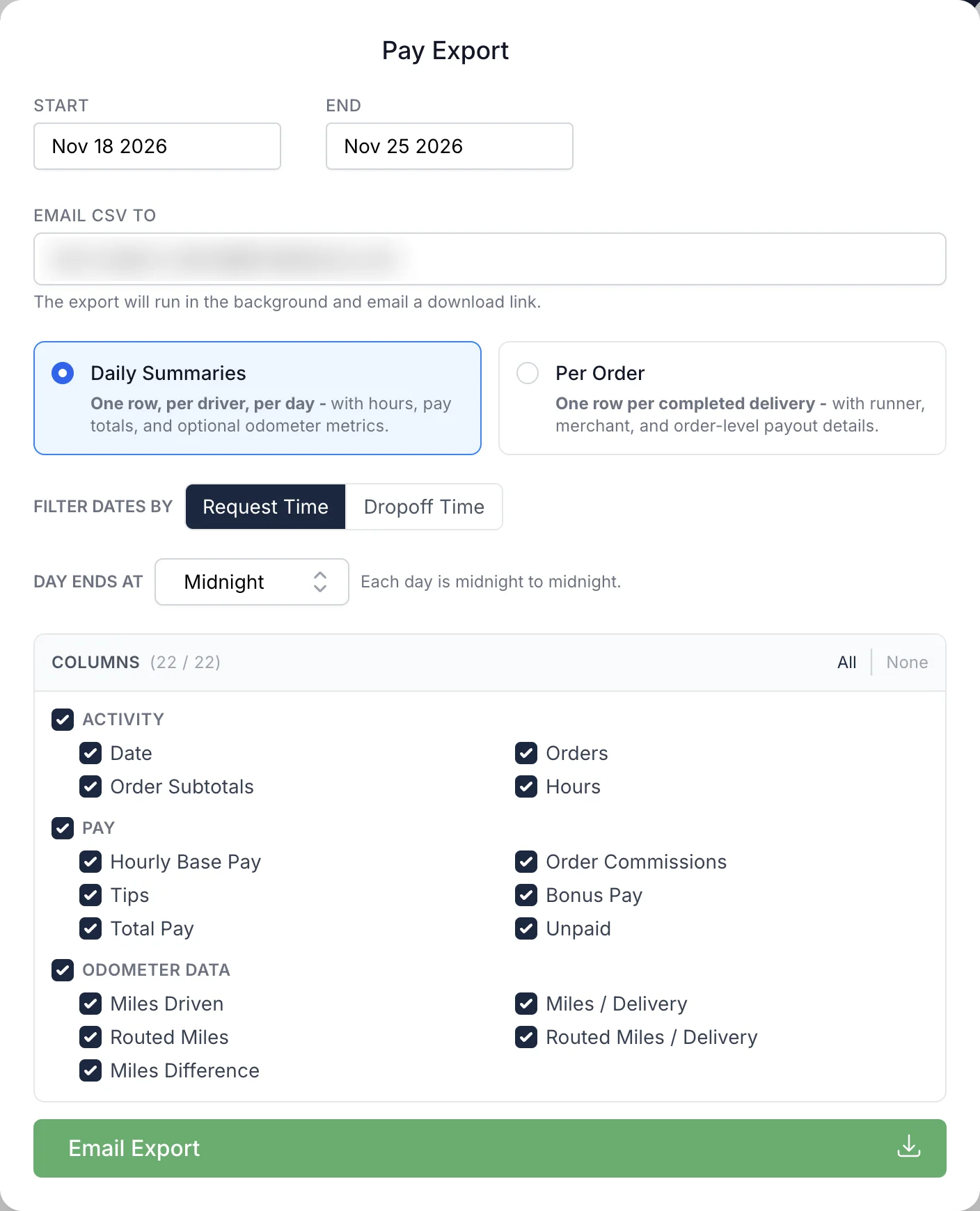
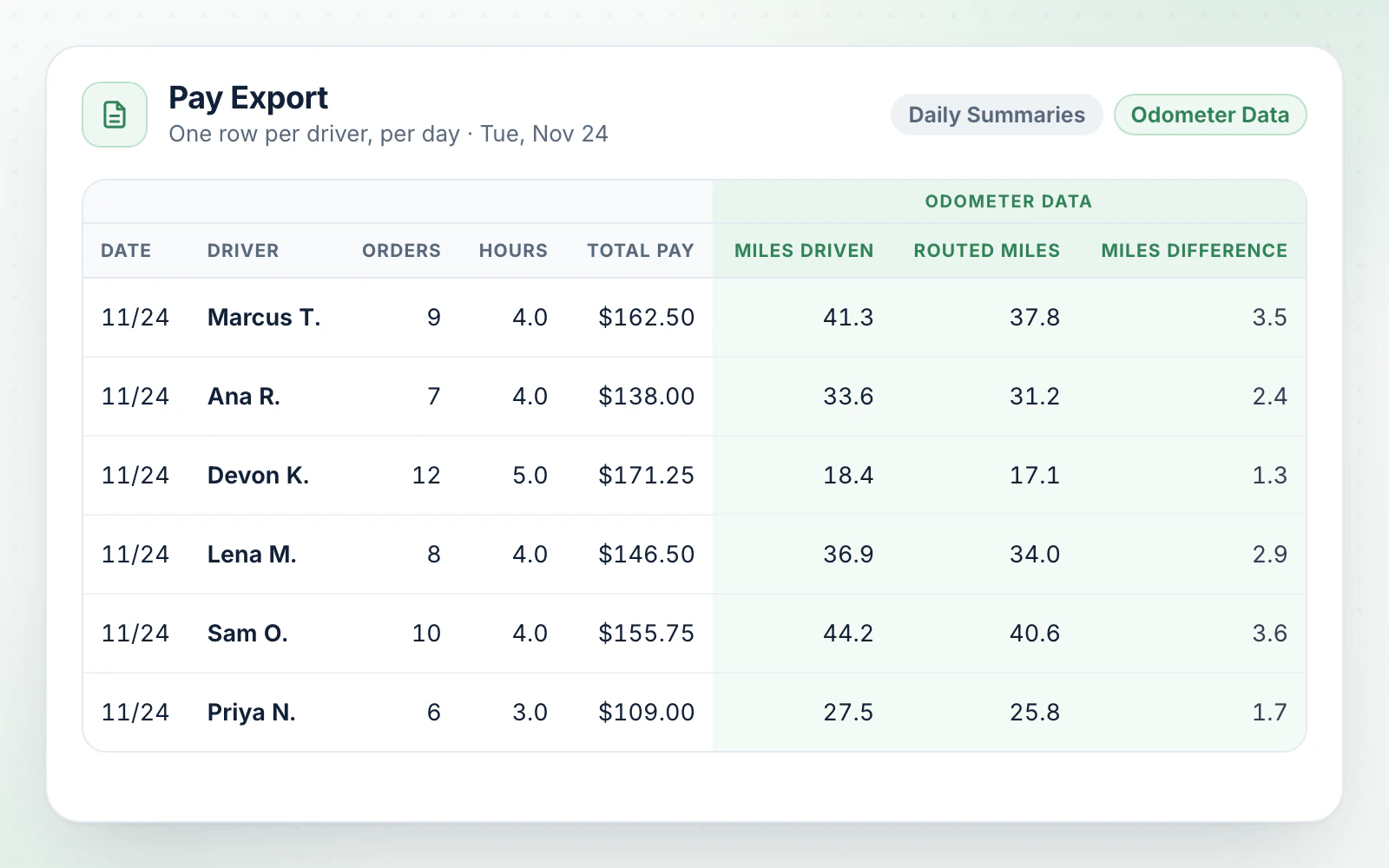
Add mileage to your pay export to compare the miles each driver drove, from their GPS while on shift, with the route distance of their deliveries. The export also breaks out hourly pay, commissions, tips, bonuses, and the total.
- Miles Driven
- Routed Miles
Drivers see what they've earned
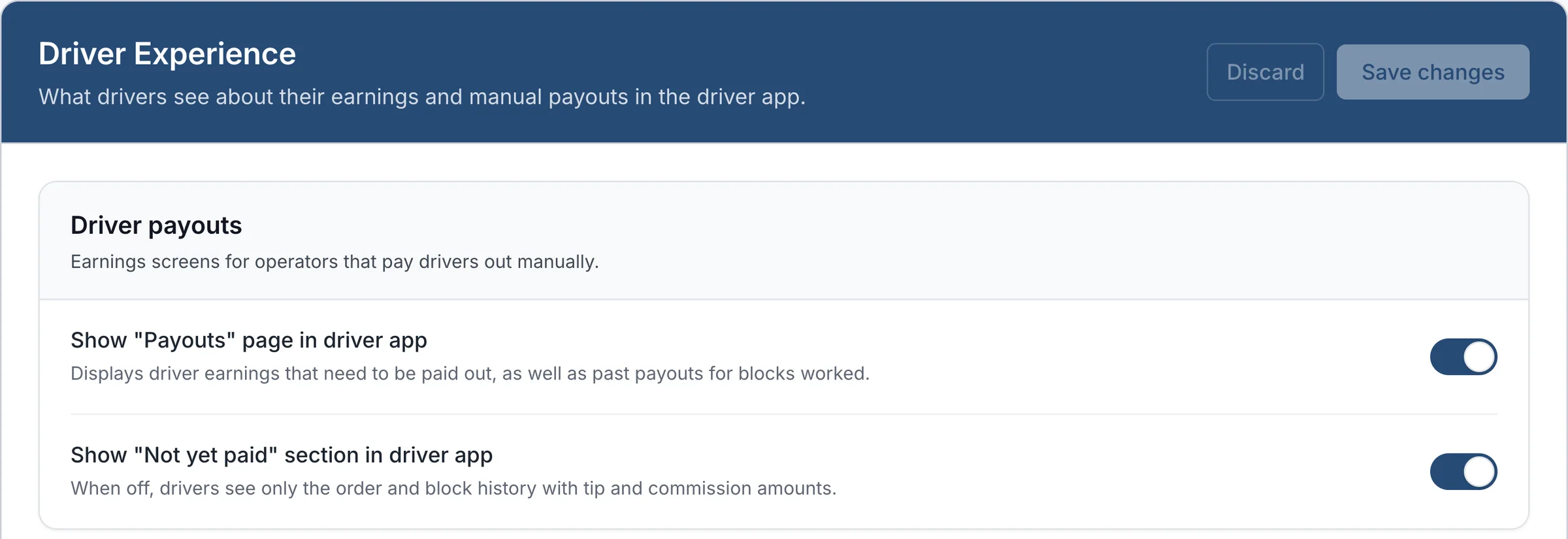
Give drivers a payouts page in the driver app and a list of what hasn't been paid yet. You can also hide tips or commission for any driver.
- Show "Payouts" page in driver app
- Show "Not yet paid" section in driver app
Common questions
Frequently asked questions
Where do tips come from?
From the order. Tips on Toast and Square orders come in with the order, and each one shows in Dispatch and in the tips column of your export.
How are miles counted?
Miles driven adds up the driver's GPS while they're on a shift, so they need to be on one for it to count. Routed miles adds up the route distance of the deliveries they completed.
Can I pay drivers through FIRST?
If a driver connects a payout account in the app, you can pay them from their profile in Dispatch. If you pay another way, mark their shifts and orders as paid there instead.